MCRM Kit is a CRM system for marketers and managers, suitable for both large businesses and small enterprises.
It offers all modern tools: customer incentive and retention mechanics, trigger-based scenarios, segmentation, an analytics module, cashback, and multiple customer communication channels.
It offers all modern tools: customer incentive and retention mechanics, trigger-based scenarios, segmentation, an analytics module, cashback, and multiple customer communication channels.
Table of contents
👉🏻 System interface
👉🏻 User account
👉🏻 Indicators (Показатели)
👉🏻 Clients (Клиенты)
👉🏻 Transactions (Транзакции)
👉🏻 Segmentation (Сегментация)
👉🏻 Triggers (Триггеры)
👉🏻 Communications (Коммуникации)
👉🏻 Reports (Отчеты)
👉🏻 Market (Маркет)
👉🏻 Surveys (Опросы)
👉🏻 Goods (Товары)
👉🏻 Master (Мастер)
👉🏻 User account
👉🏻 Indicators (Показатели)
👉🏻 Clients (Клиенты)
👉🏻 Transactions (Транзакции)
👉🏻 Segmentation (Сегментация)
👉🏻 Triggers (Триггеры)
👉🏻 Communications (Коммуникации)
👉🏻 Reports (Отчеты)
👉🏻 Market (Маркет)
👉🏻 Surveys (Опросы)
👉🏻 Goods (Товары)
👉🏻 Master (Мастер)
System interface
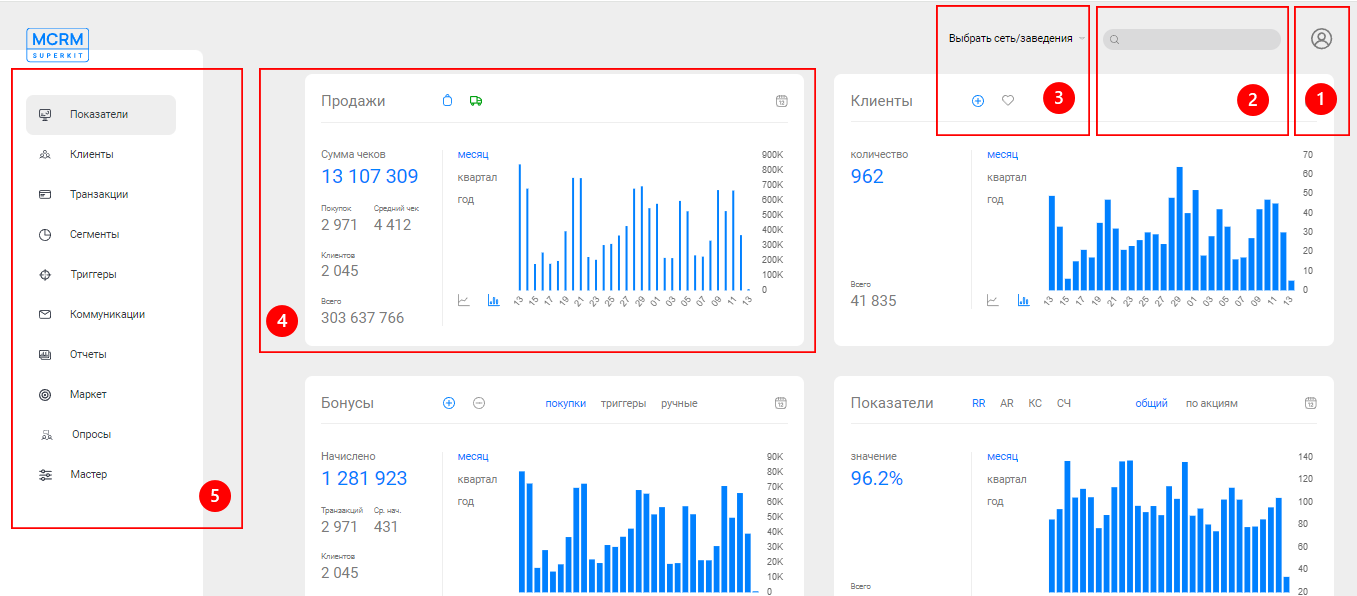
- User account. The user account stores information about the system user, enterprises, communication balance, subscription fees, and communication costs. It also provides access to information on all expenses, the ability to issue invoices, and more.
- Search bar. The quickest way to find a client in the database is to use the search bar. Read the description of the customer card in a separate article.
- Selection of a chain of establishments or a specific enterprise. A user of the system may have access not to just one establishment, but to a network of venues. In that case, they may need to select specific establishments to carry out the necessary actions and generate data. For example, the customer list in the "Clients" section will include only those visitors linked to the selected location.
- Dashboards. Information panels displaying key metrics and indicators, such as the number of sales, receipt totals, and many others.
- System sections.
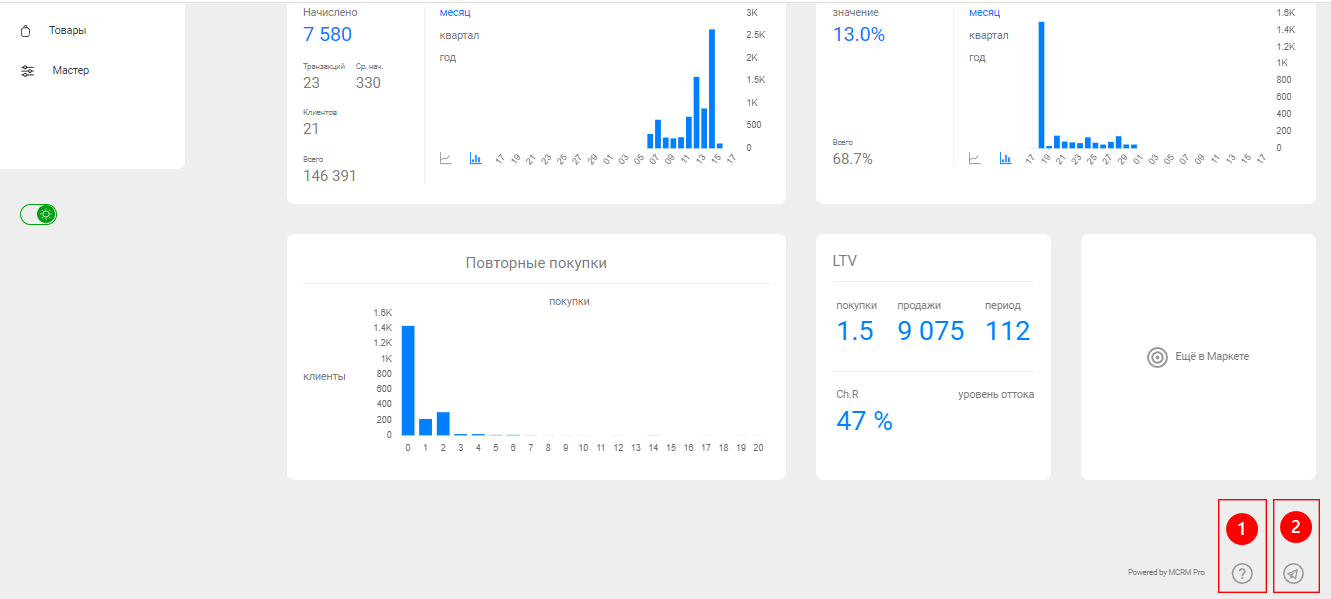
- Tooltips. Brief descriptions of the functionality of the system's pages.
- Customer Support Service.
If the interface on your screen is different, adjust the page zoom using your browser settings.
User account
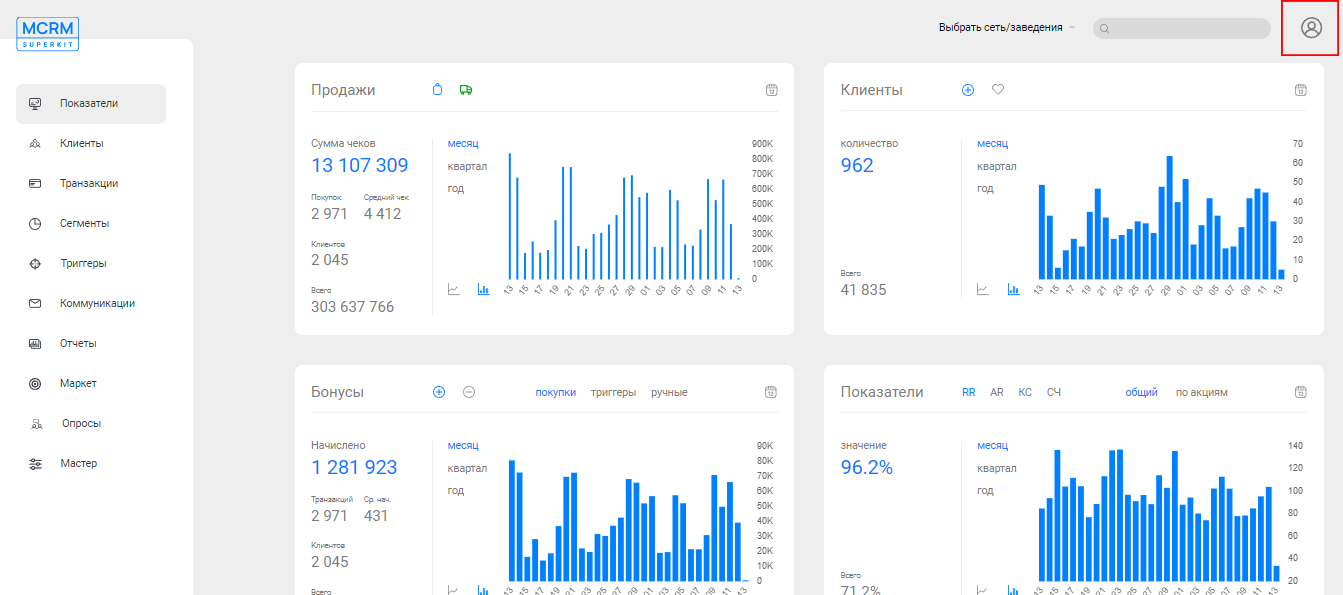
The personal account provides access to the following information: user system data (username, login, phone number), list of available establishments, communication balance, cost of paid messages, as well as information on subscription fees and additional charges.

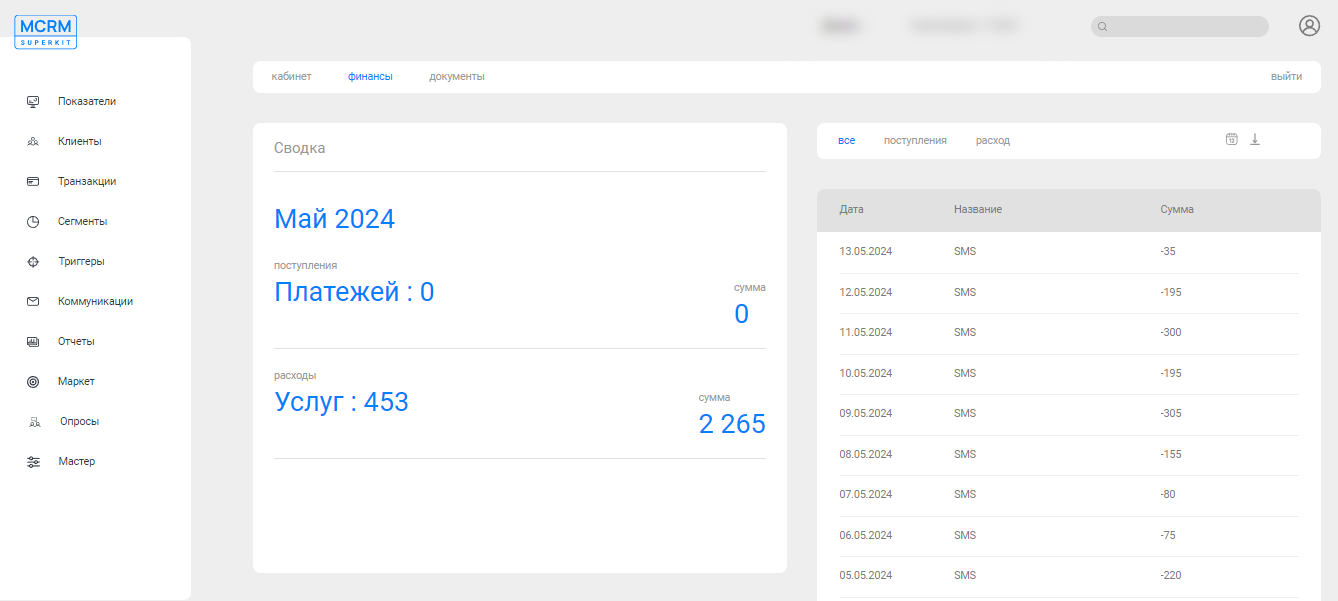
In the "Finance" (Финансы) section, you can view detailed information on all incoming funds and expenses.
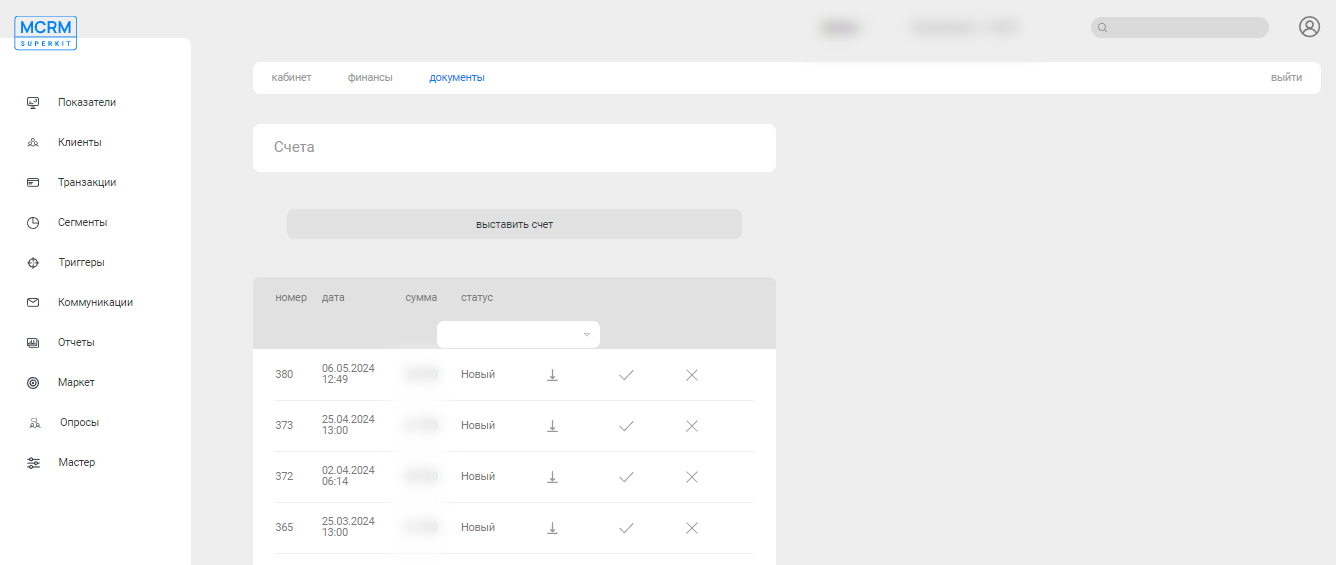
In the "Documents" (Документы) section, you can find all previously issued invoices, as well as issue an invoice yourself.
Indicators (Показатели)
Section "Indicators" (Показатели) contains key metrics such as total amounts of customer receipts, number of customers, bonus spending, etc. They provide quick insights into the current state of the business.
Sales (Продажи)
The first dashboard, "Sales" (Продажи), collects information on purchases and receipt totals. You can view data for purchases made at the location itself (Покупки). And separately for delivery (Доставка).
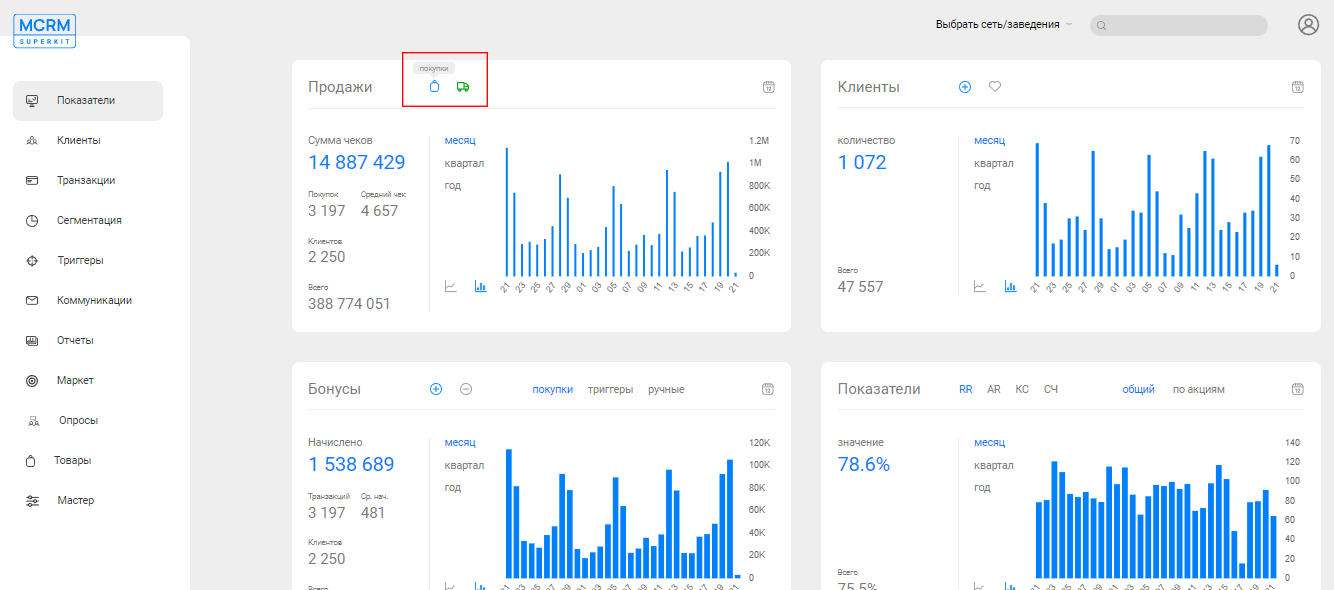
You can select the time period for which data will be generated: month (месяц), quarter (квартал), year (год). Or a specific calendar period.
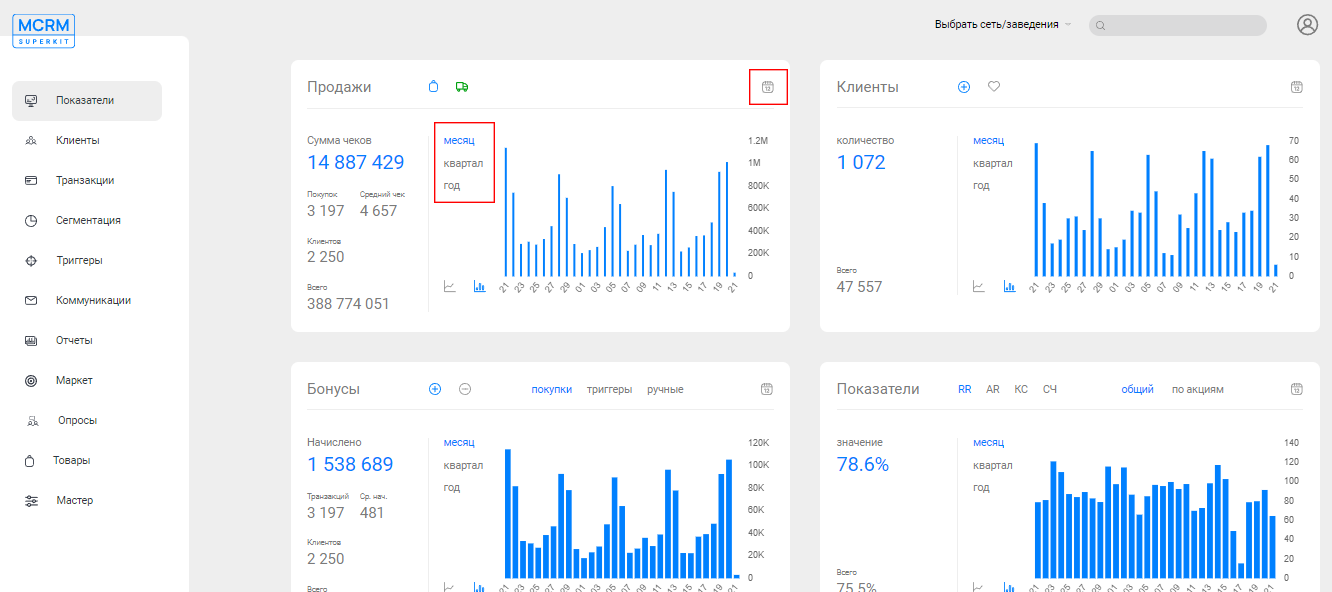
The following data is displayed for the specified time period:
- Amount of checks (Сумма чеков). Total amount of customer receipts for the specified period.
- Purchases (Покупок). Number of purchases made.
- Average receipt (Средний чек). Average receipt amount of a single purchase.
- Clients (Клиентов). Number of customers who made purchases.
Clients (Клиенты)
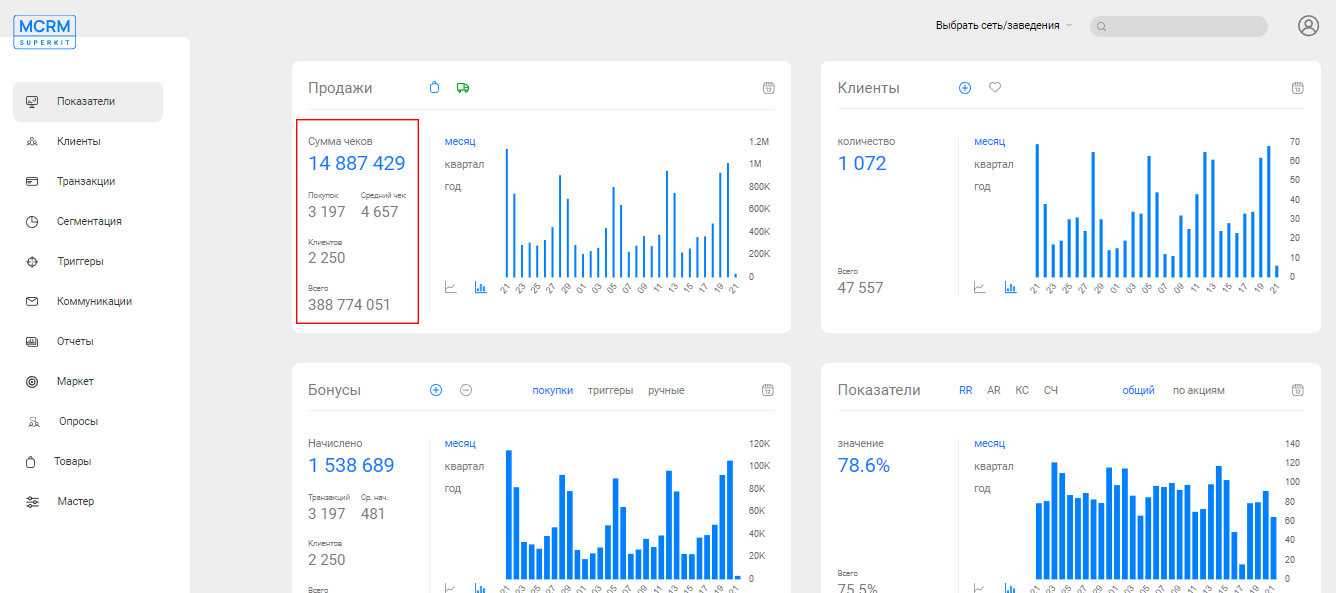
The "Clients" (Клиенты) dashboard provides data about the business's clients. You can generate data on new customers who registered no more than 30 days ago (Новые). Or about active ones who have made at least one purchase (Активные).
The dashboard will show the number of such customers for the selected time period (Количество) and the total count (Всего).
The dashboard will show the number of such customers for the selected time period (Количество) and the total count (Всего).
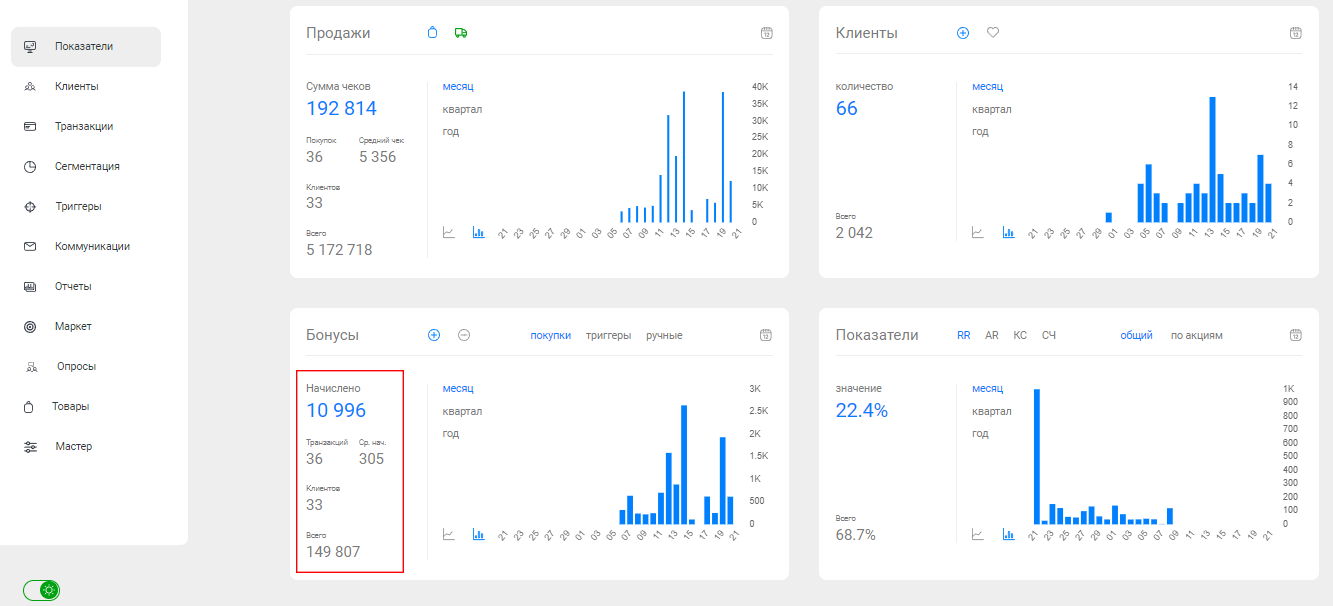
Bonuses (Бонусы)
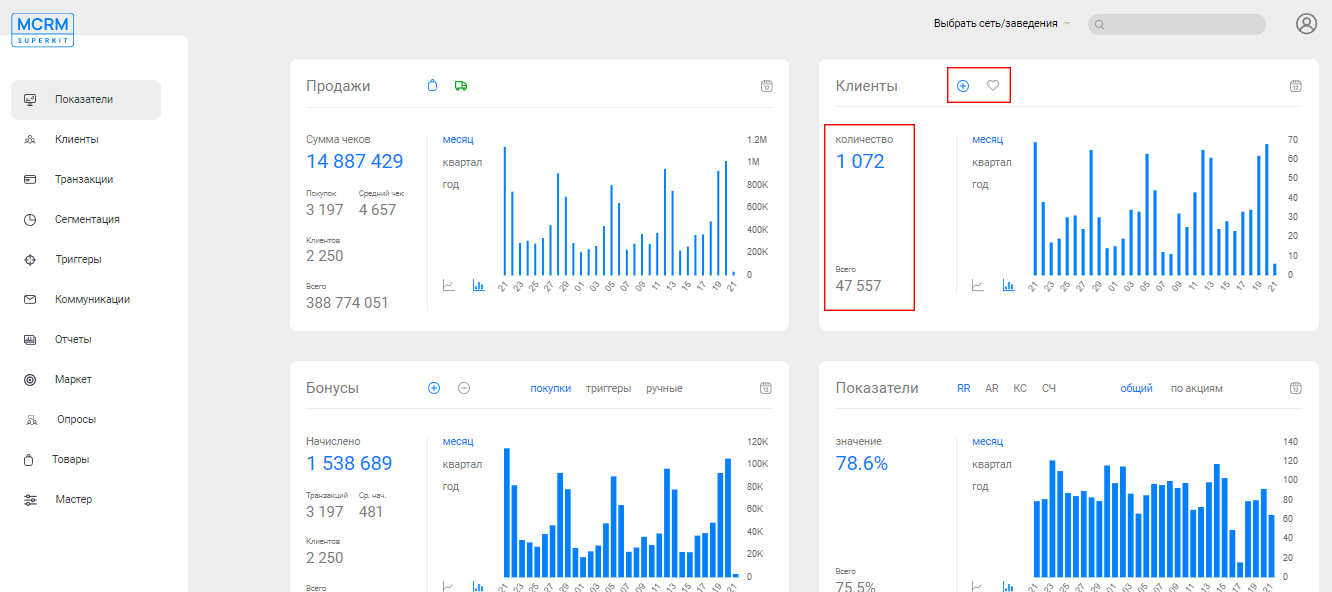
The third dashboard displays information about bonus transactions: credits (Начисление) and deductions (Списание).
Bonus accounts could have been modified in several ways. During a customer's purchase (Покупки), through a configured trigger (Триггеры), or manually by a system user (Ручные). Additionally, unused bonuses may automatically reset due to system mechanics (Обнуление).
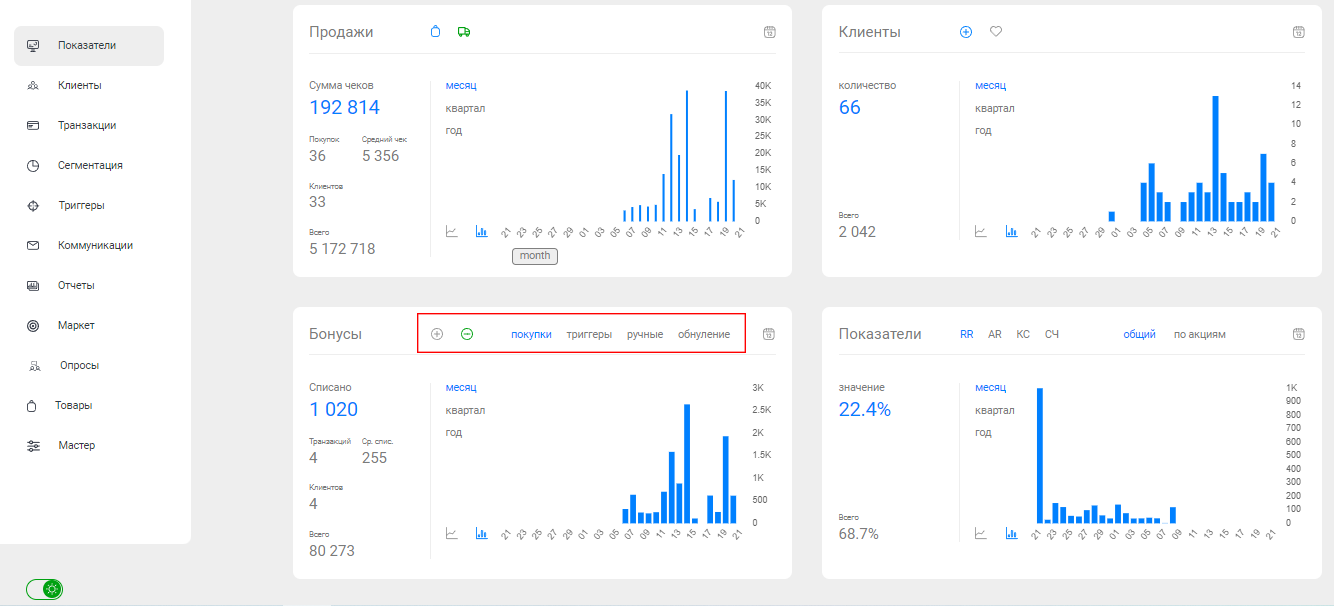
The following data is displayed for the specified time period:
- Accrued/Deducted (Начислено/Списано). The amount of bonuses accrued or deducted for the specified period of time.
- Transactions (Транзакций). Number of purchases made.
- Average accrual/deduction (Ср.нач./спис.). Average amount of bonuses accrued or deducted per purchase.
- Clients (Клиентов). Number of customers who made purchases.
Indicators (Показатели)
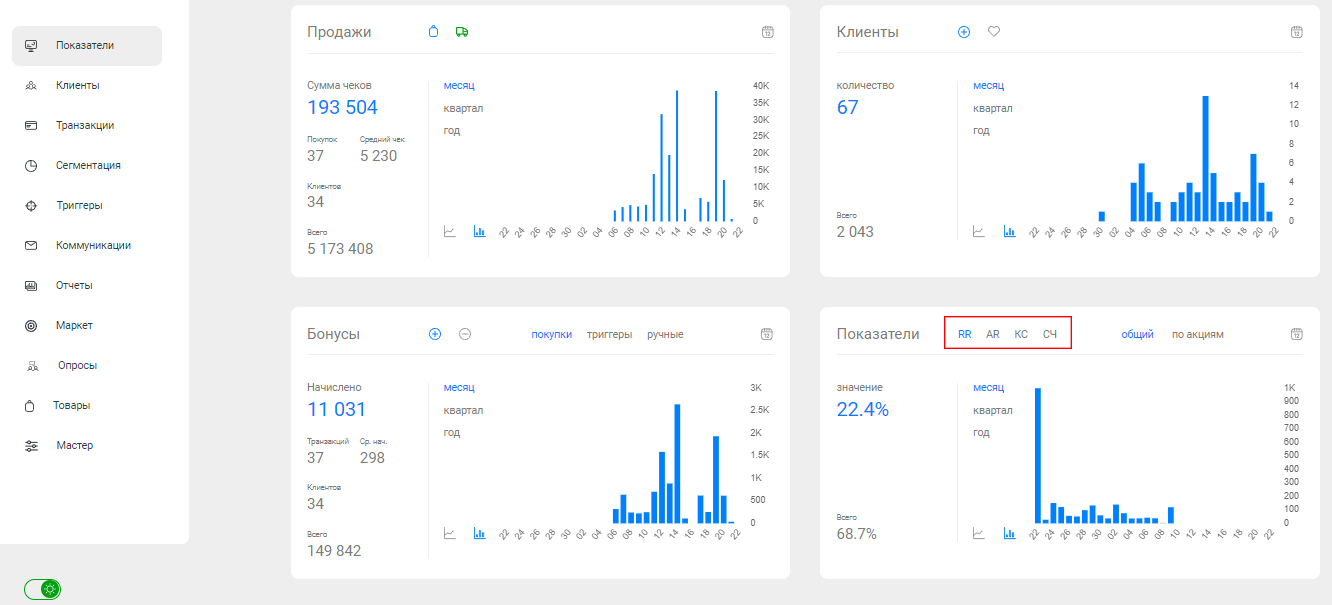
The fourth dashboard generates useful metrics such as Retention Rate (RR), Amplification Rate (AR), and others. Data is displayed for the selected period (Значение) and for all time (Всего).
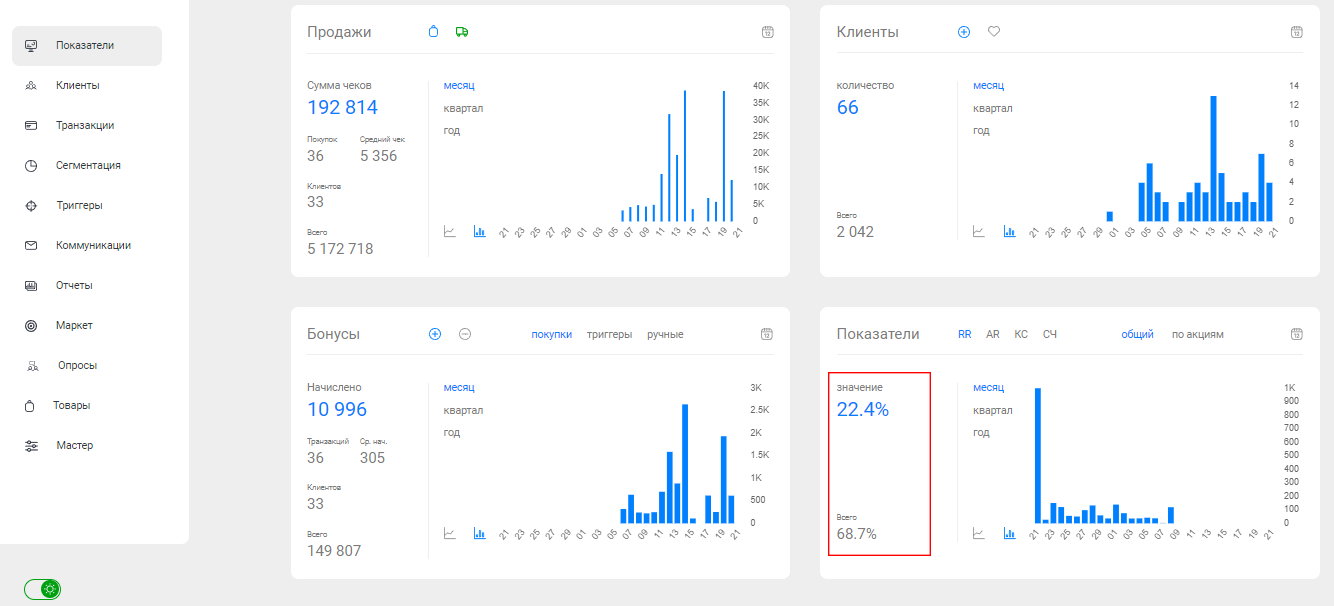
RR (Retention Rate). Metric calculates the percentage of deducted bonuses out of the accrued bonuses. You can see the value for all accrued bonuses (Общий). Or from all accrued bonuses, excluding those that expired from promotions (По акциям).
AR (Amplification Rate ). Metric calculates the percentage of active customers out of the registered ones.
КС (Burn Rate). This is the percentage of voided bonuses out of those accrued. Bonuses accrued from purchases may be considered ("от продаж"). And bonuses accrued from promotions ("по акциям").
КС (Burn Rate). This is the percentage of voided bonuses out of those accrued. Bonuses accrued from purchases may be considered ("от продаж"). And bonuses accrued from promotions ("по акциям").
СЧ (Average Check). Is the metric of the average purchase amount per transaction.
Repeat Purchases (Повторные покупки)
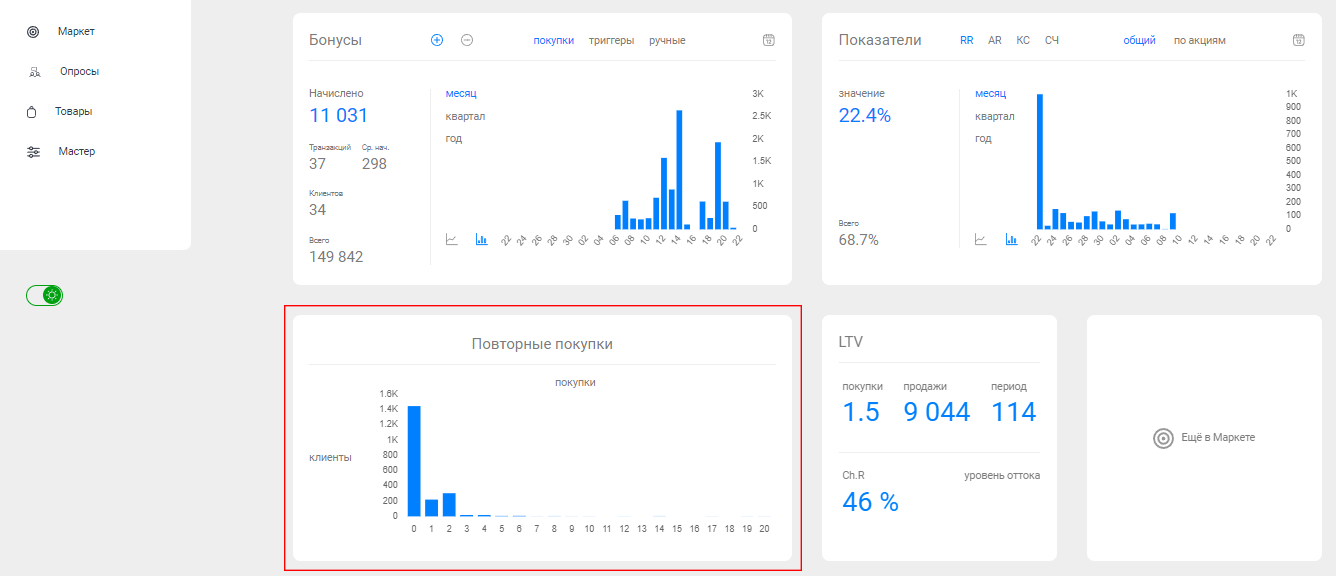
The "Repeat Purchases" (Повторные покупки) chart shows how many customers (Клиенты) made a certain number of purchases (Покупки).
Clients (Клиенты)
Dashboards in the "Clients" (Клиенты) section allow you to analyze customer behavior and activity.
Read the description of the customer card in a separate article.
Read the description of the customer card in a separate article.
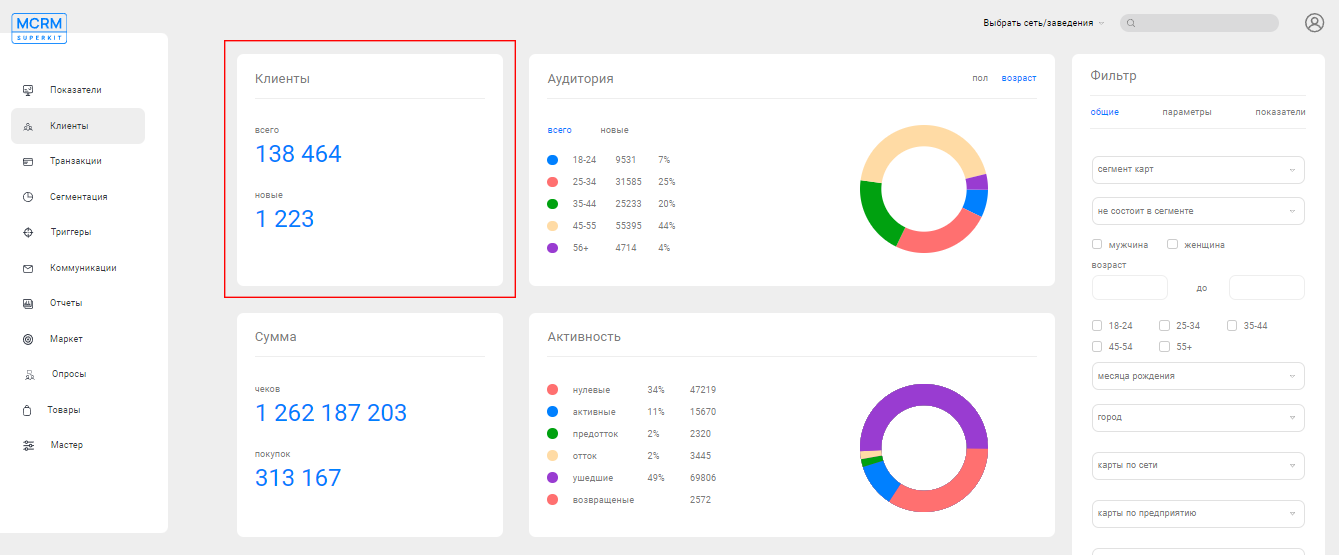
Clients (Клиенты)
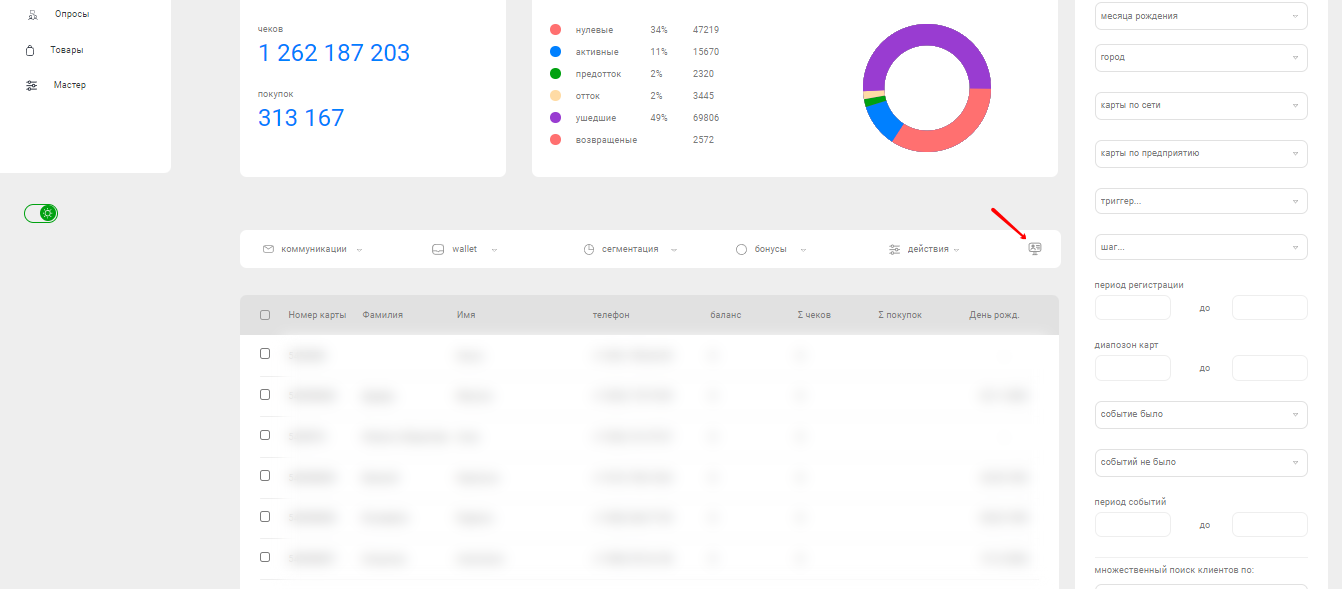
The total number of customers (Всего) and only new ones who registered no more than 30 days ago (Новые).
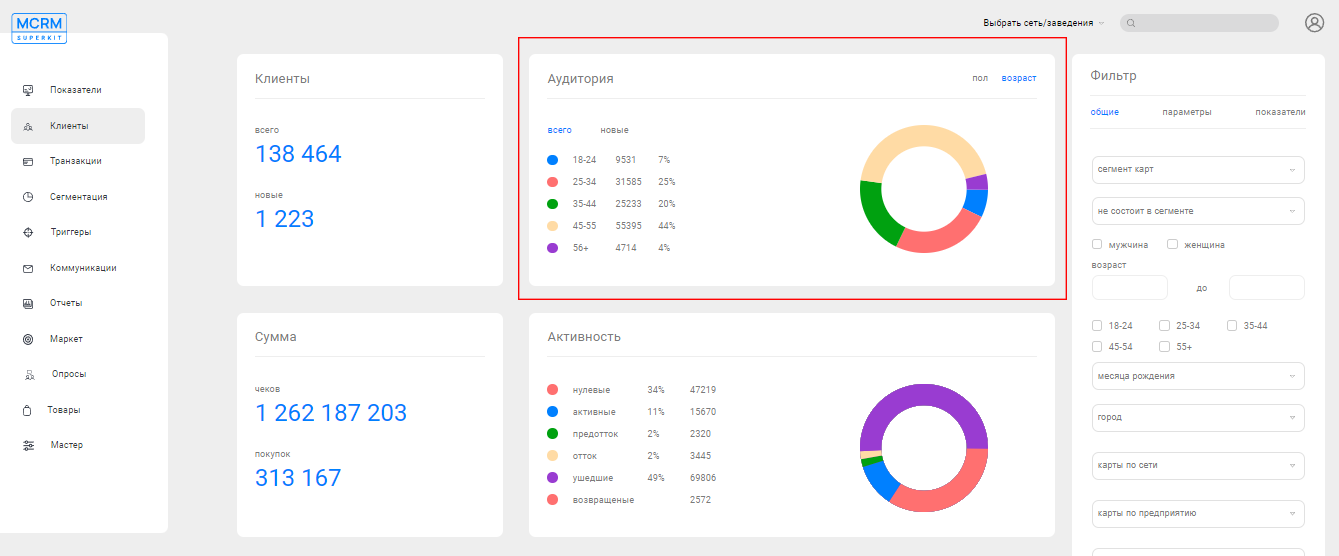
Audience (Аудитория)
Customer segmentation by gender (Пол): male and female (Мужской/Женский). As well as segmentation by age (for all customers and new ones (Всего/Новые)).
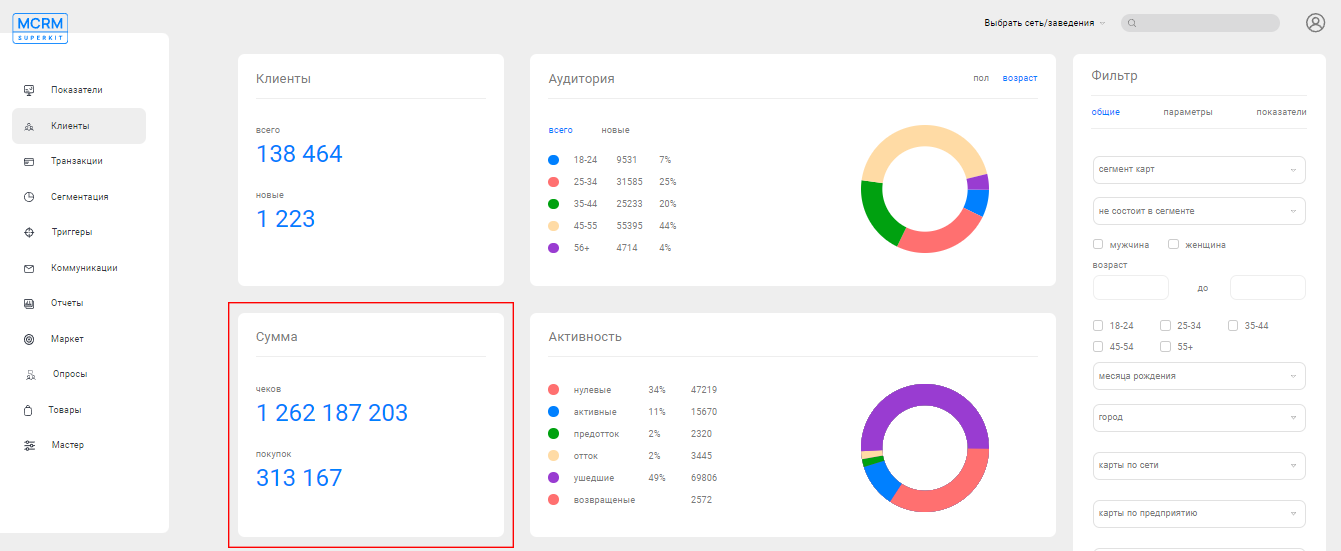
Sum (Сумма)
The total amount of customer receipts (Чеков) and the number of purchases (Покупок).
Activity (Активность)
System customer segments that are automatically created and updated in the CRM:
- Zero customers, those who haven't made any purchases (Нулевые).
- Last purchase was between 0 and 60 days ago (Активные).
- Last purchase was between 61 and 120 days ago (Предотток).
- Last purchase was between 121 and 180 days ago (Отток).
- Last purchase was 181 days ago or more (Ушедшие).
- Customers from the "Отток" or "Ушедшие" segments who have made a purchase again.
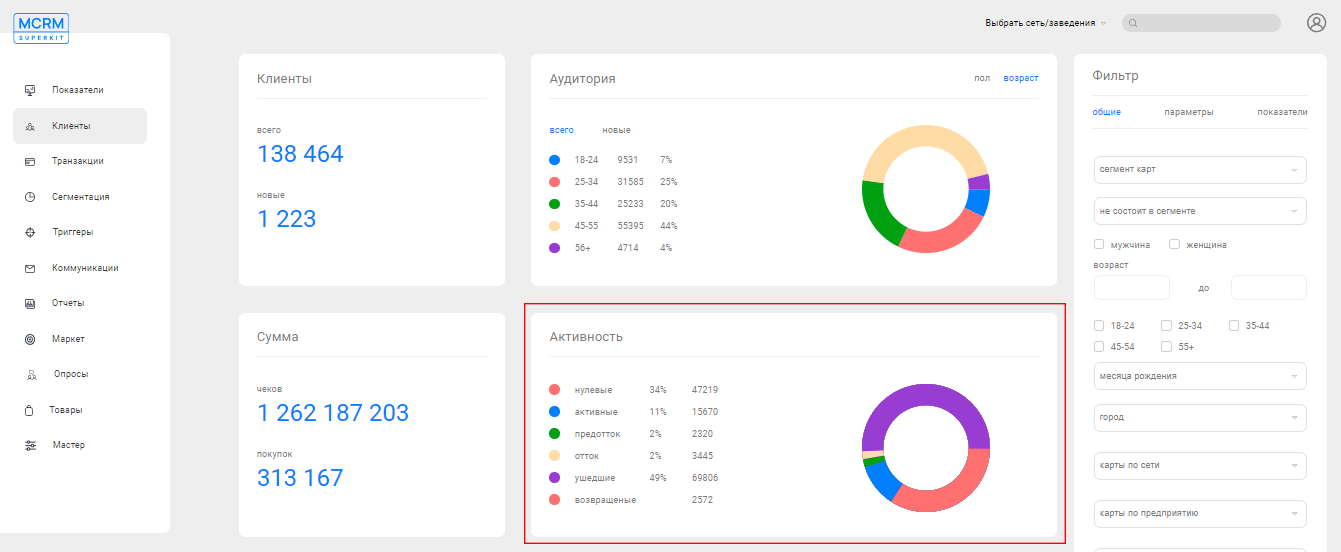
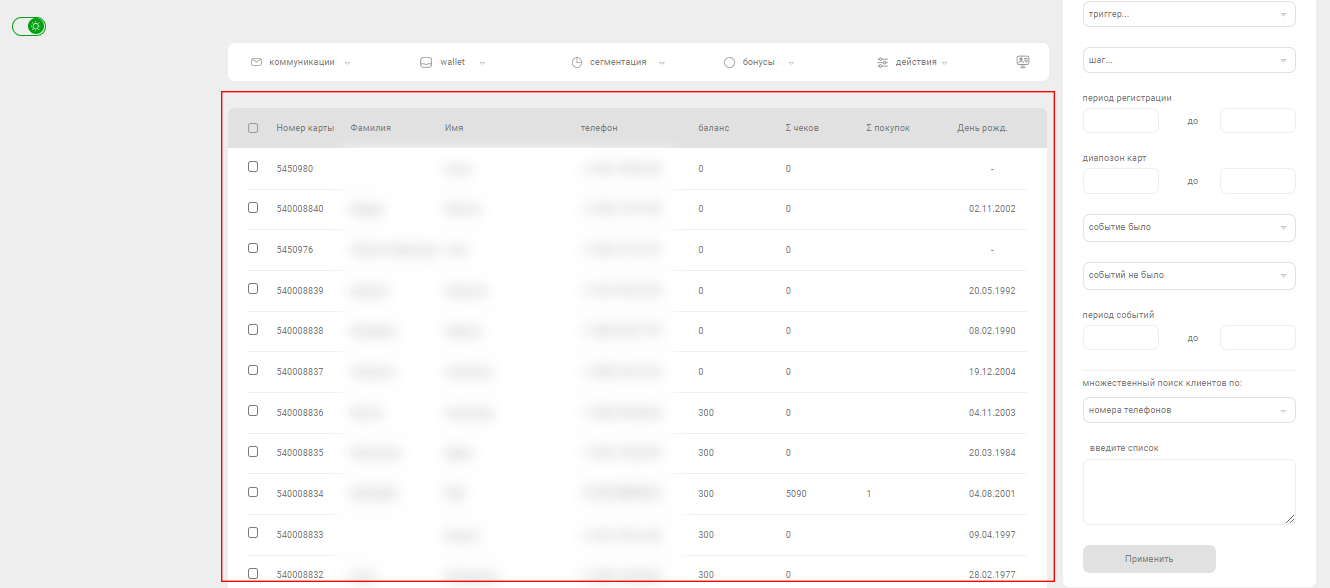
Table with a list of customers
The table contains personal information about each customer: card number (Номер карты), last name (Фамилия) and first name (Имя) , phone number (Телефон), bonus balance (Баланс), total amount of receipts (Σ чеков), number of purchases (Σ покупок), and date of birth (День рождения).
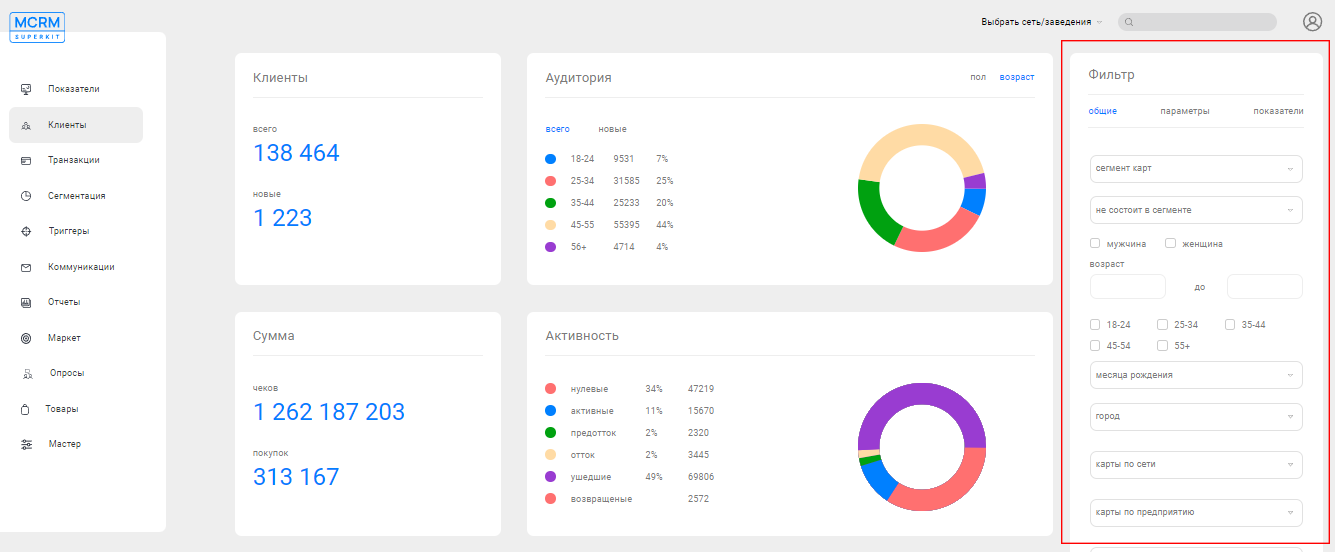
Filter (Фильтр)
The filter allows you to generate a list of the desired customers. Read the detailed description in a separate article.
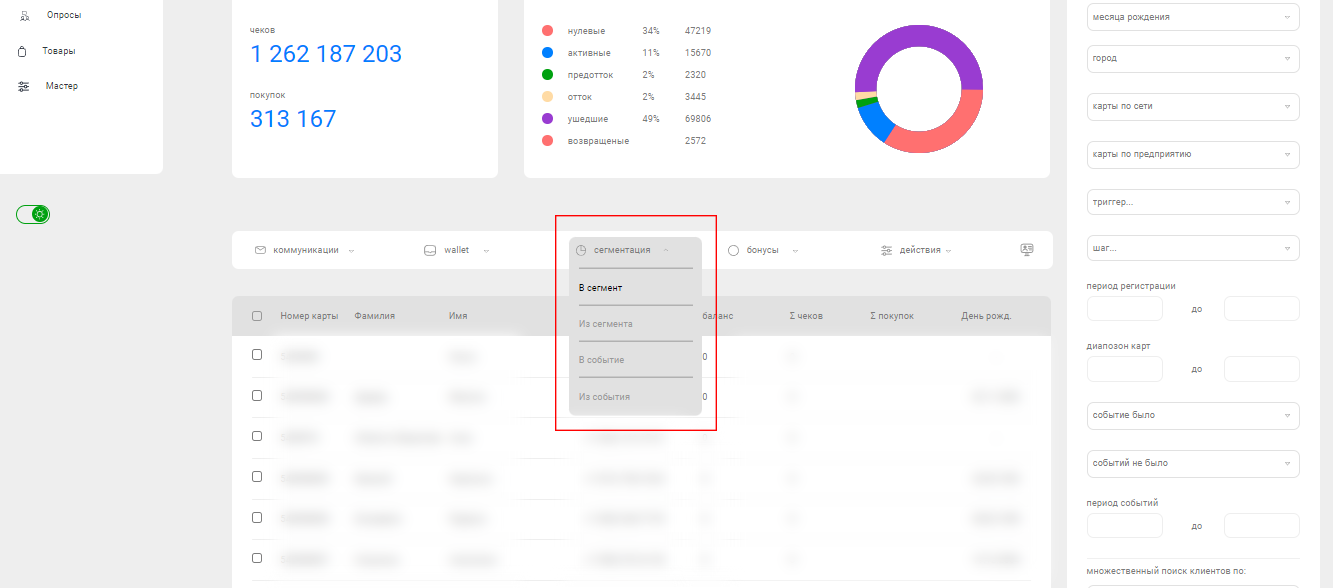
Toolbar
The toolbar provides options for creating communications (read more in the article), registering customers, adding to a segment, and other actions.
Segmentation (Сегментация) allows you to add customers to segments (В сегмент) or remove them from segments (Из сегмента).
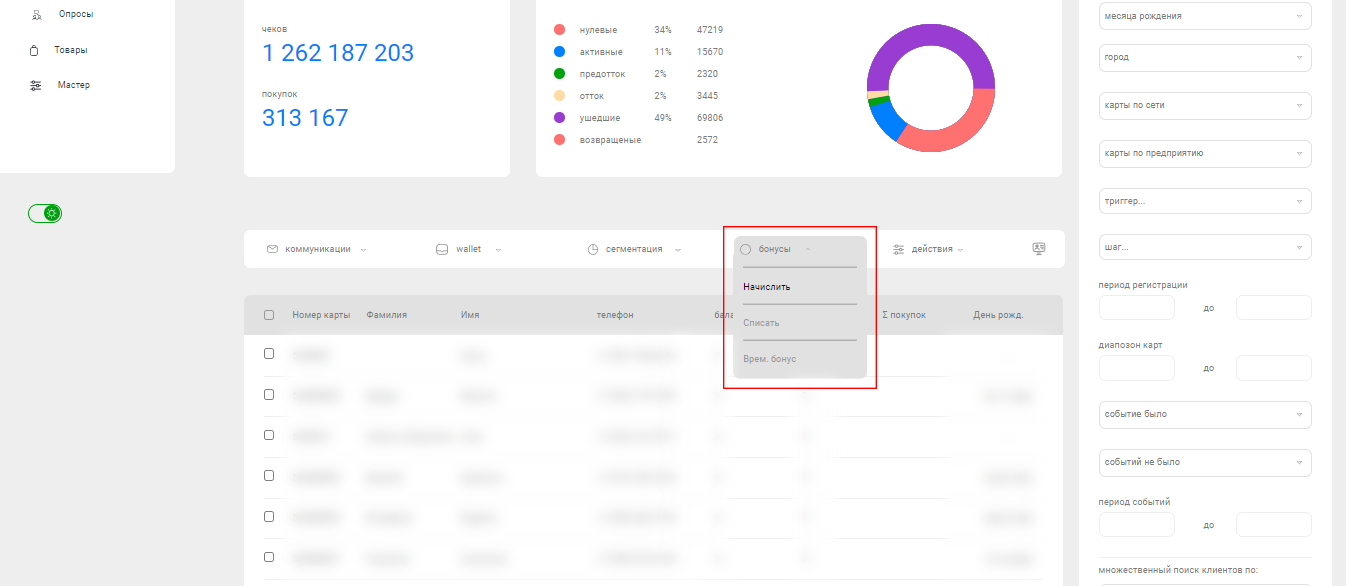
Here, you can also credit bonuses to selected customers (Начислить) or deduct bonuses (Списать), as well as credit temporary bonuses (Врем.бонус).
To register a customer in the loyalty program, click "Add New Customer" (Добавить нового клиента).
Transactions (Транзакции)
In the "Transactions" (Транзакции) section, detailed data on purchases and operations with clients' bonus accounts are collected.
The dashboard contains statistics on sales (Продажи), bonus accruals (Бонусы), and bonus deductions (Списания).
The dashboard contains statistics on sales (Продажи), bonus accruals (Бонусы), and bonus deductions (Списания).
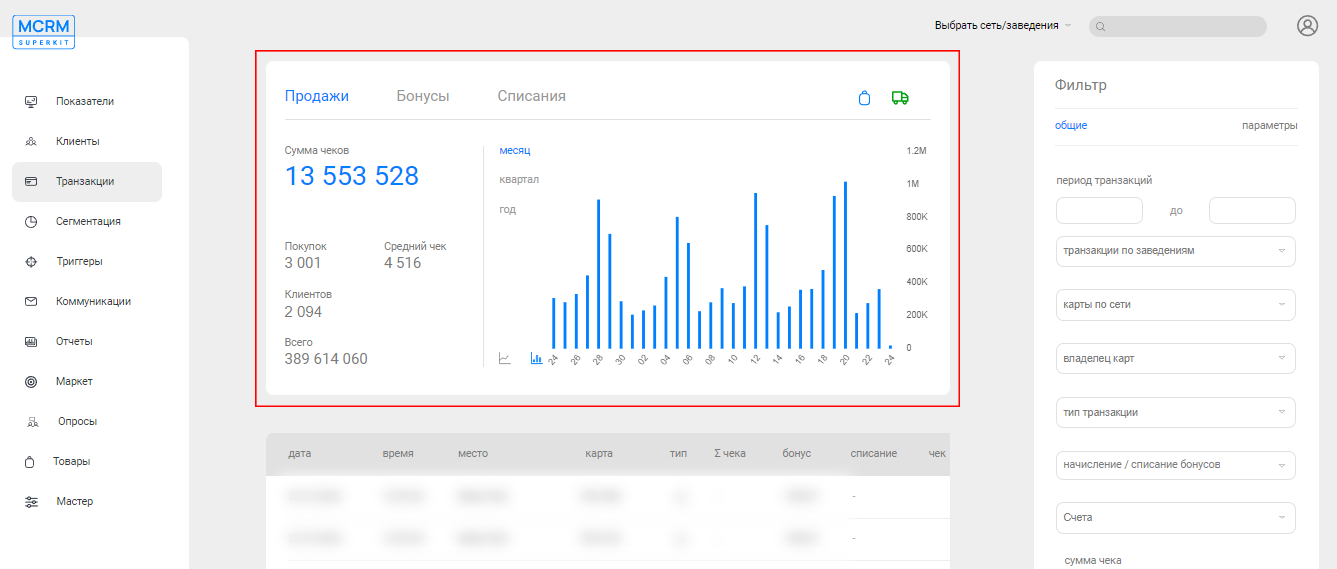
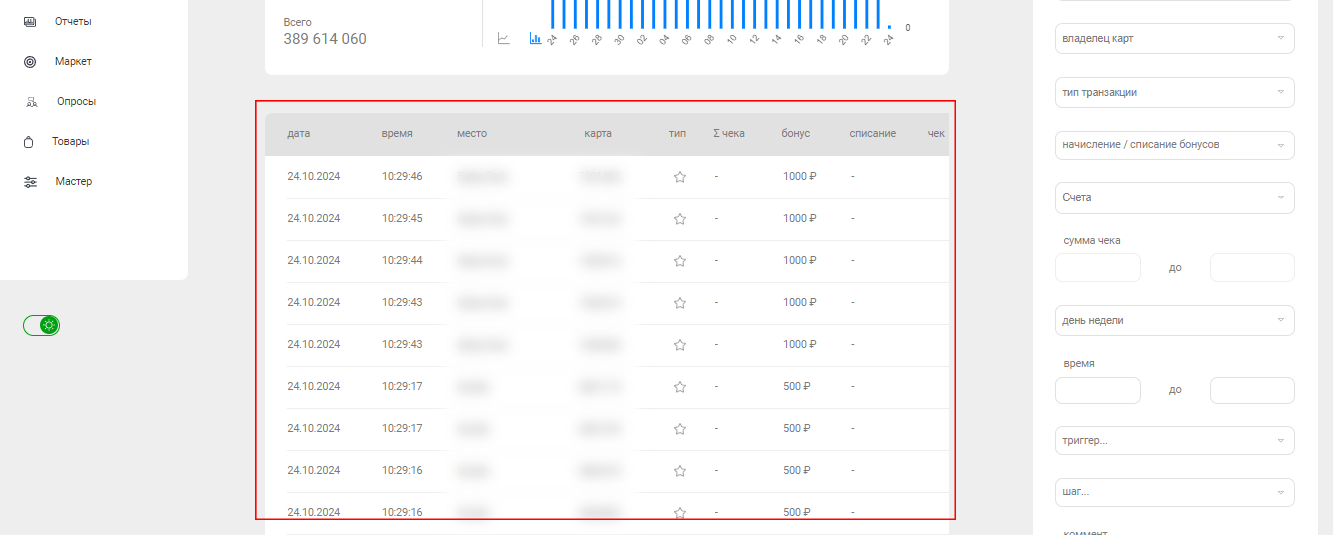
The filter allows you to select specific purchases and operations. The table contains information about each specific transaction, whether it's a purchase, bonus accrual, etc.
Segmentation (Сегментация)
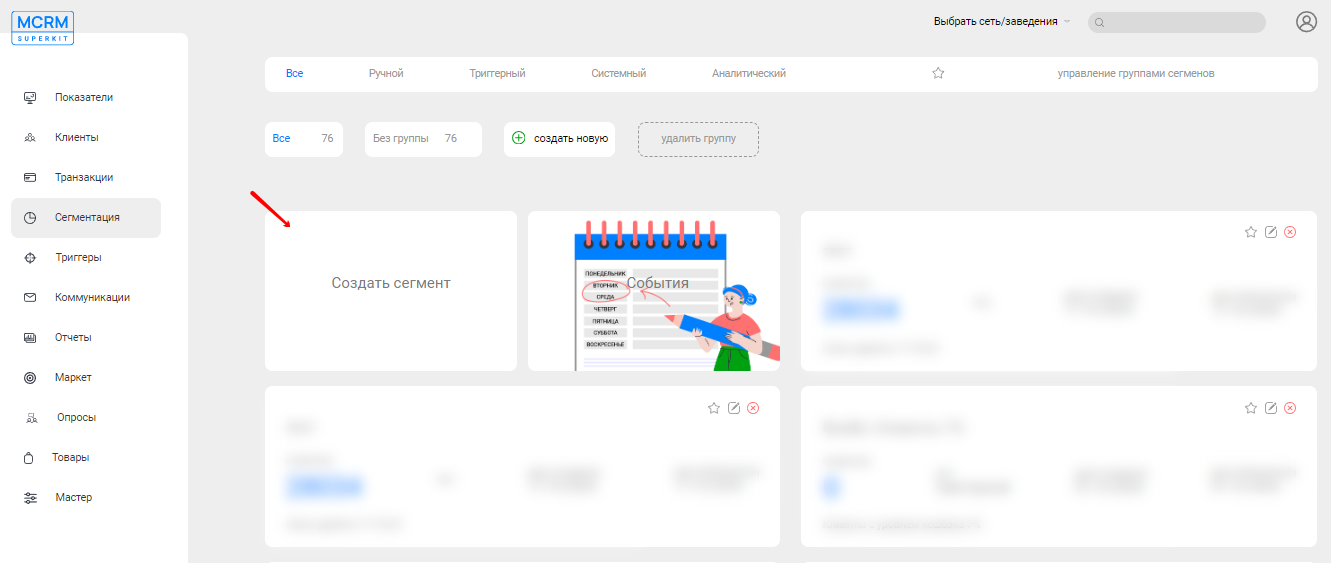
This section stores all existing customer segments, events (an additional method of segmentation), and information about them. You can also create a new customer segment (Создать сегмент).
Triggers (Триггеры)
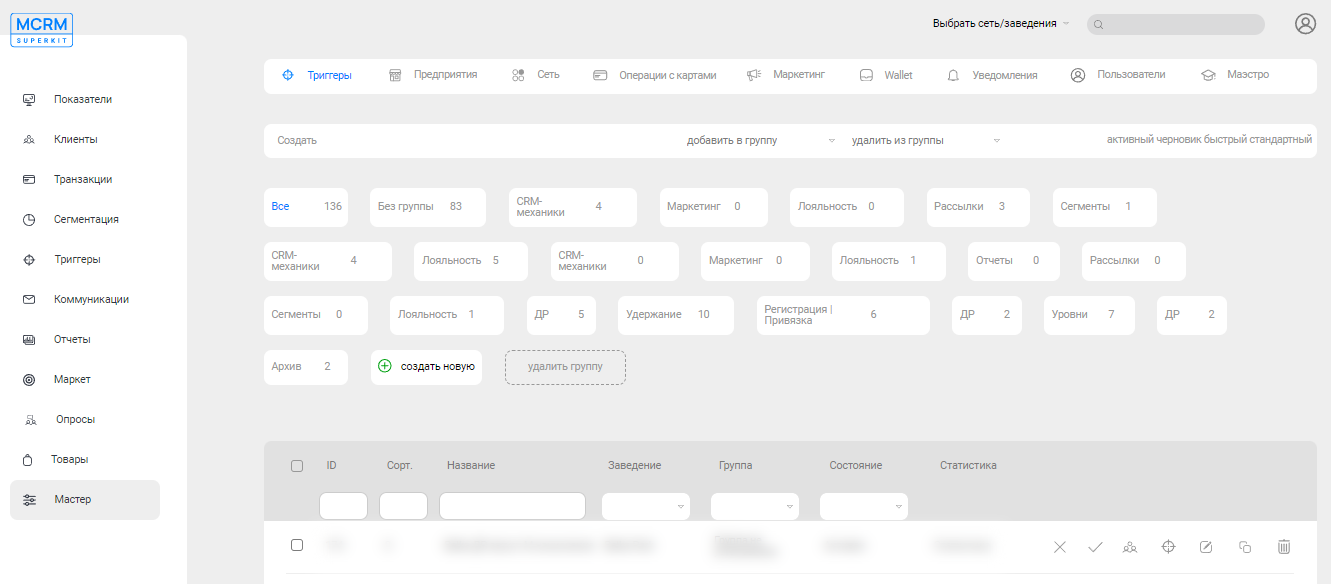
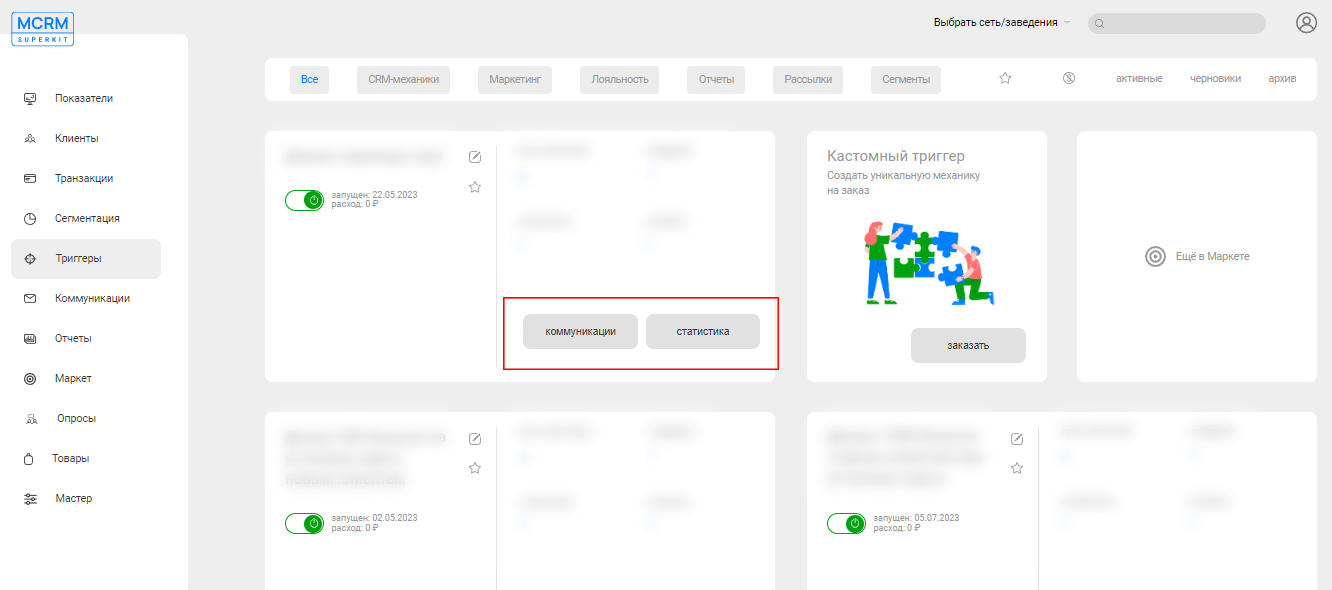
The "Triggers" (Триггеры) section is used for setting up new automated mechanisms, tracking current ones, storing drafts, and archiving triggers. Here you will also find statistical data on the performance of each mechanism and all communications carried out by it.
Communications (Коммуникации)
The "Communications" (Коммуникации) section stores data on all mass communications with two or more recipients. To view detailed information about a specific mailing, find it in the table and click on the "View" icon.

Reports (Отчеты)
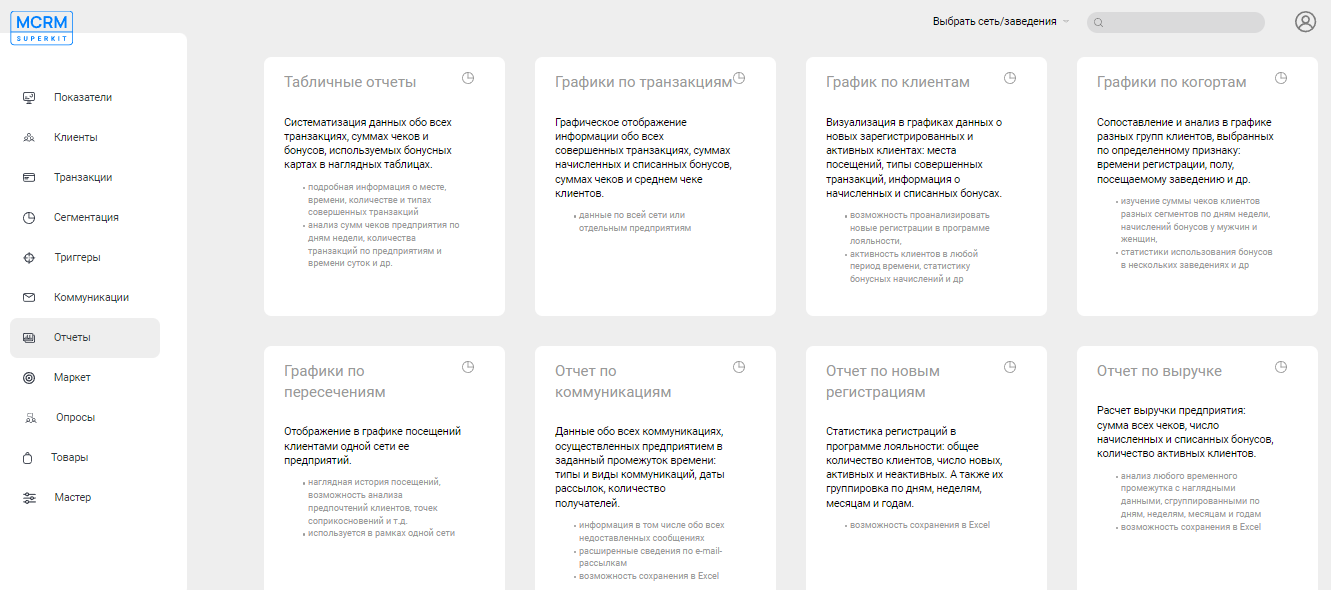
System reports are provided for collecting, consolidating, and analyzing information on customers, transactions, communications, and other data accumulated by the system.
Market (Маркет)
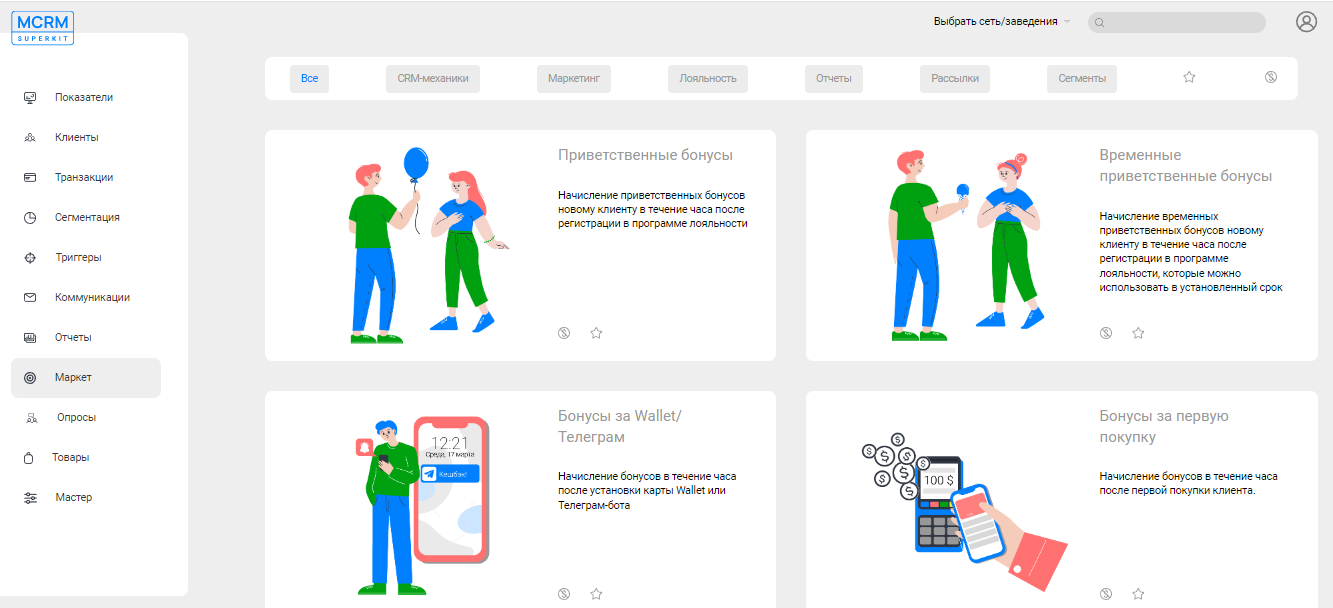
A marketplace for ordering paid and free mechanisms and services. It offers a selection of ready-made reports, Wallet mechanisms, instructions for customer communications and segmentation, as well as new ideas and templates for loyalty programs.
Surveys (Опросы)
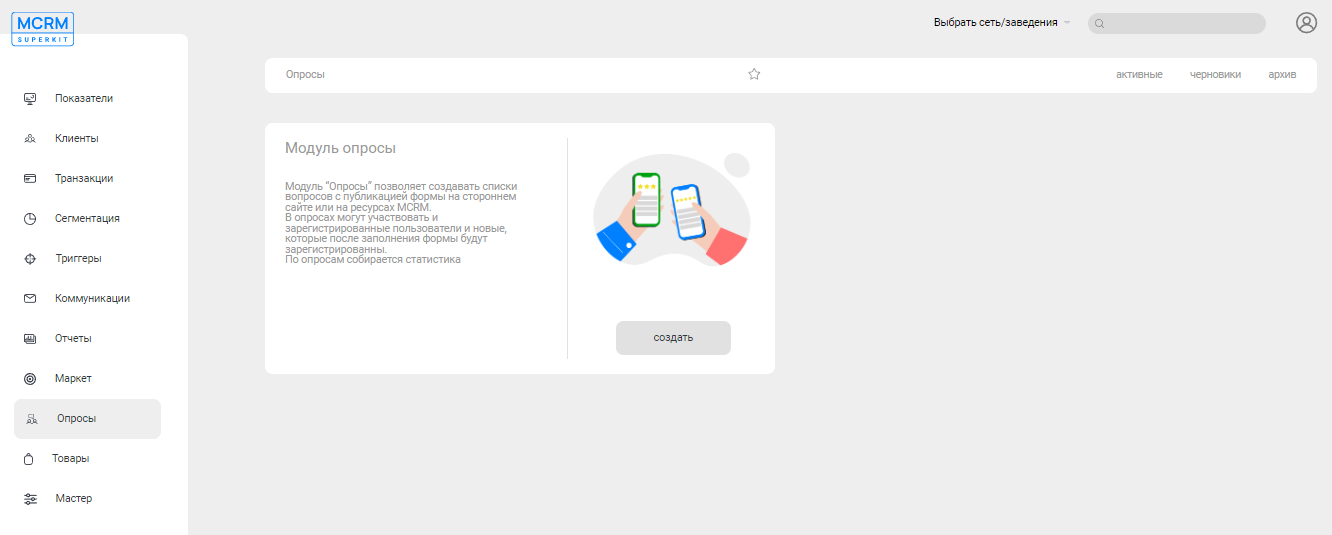
The "Surveys" (Опросы) module allows you to create lists of questions for clients and publish them on an external website or MCRM resources. Both registered users and random guests can participate in the surveys, and during the survey, guests have the opportunity to register in the loyalty program.
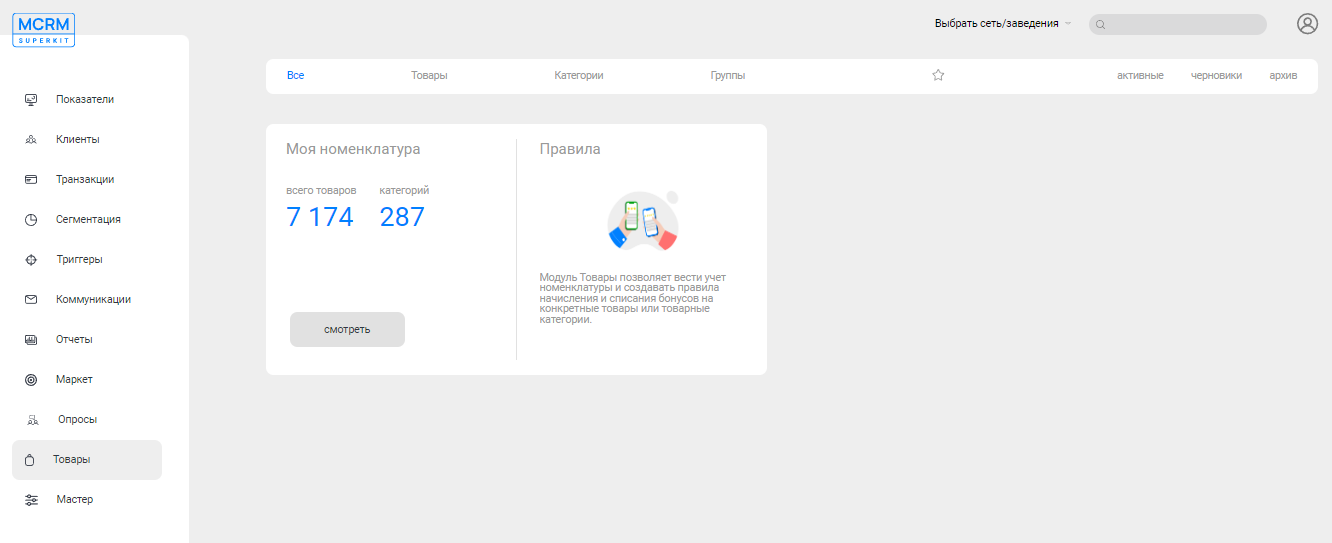
Goods (Товары)
The "Goods" section is a tool for managing products and their categories. It includes product management, inventory tracking, creation of product rules, and much more.
Master (Мастер)
An additional section with advanced capabilities for creating new triggers, configuring system access rights, setting up Wallet cards, and much more.